
brograming
회원가입 _ 이메일 인증 본문
▼pom.xml
<dependency> 추가
        <!-- 이메일 인증 번호 보내기-->
        <dependency>
            <groupId>javax.mail</groupId>
            <artifactId>javax.mail-api</artifactId>
            <version>1.5.5</version>
        </dependency>

        <dependency>
            <groupId>javax.mail</groupId>
            <artifactId>mail</artifactId>
            <version>1.4.7</version>
        </dependency>
https://brograming.tistory.com/manage/newpost/?type=post&returnURL=%2Fmanage%2Fposts%2F#
Tistory
좀 아는 블로거들의 유용한 이야기
www.tistory.com
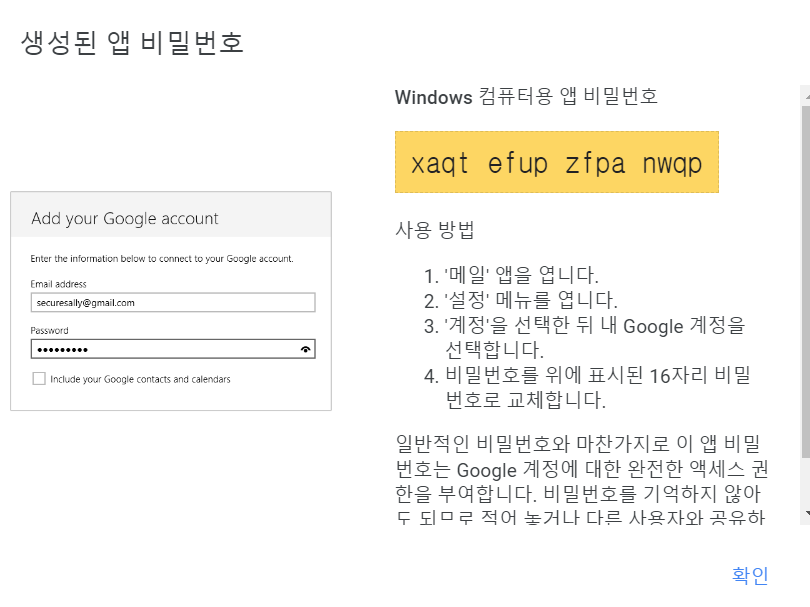

error
org.springframework.mail.MailAuthenticationException: Authentication failed
Caused by: jakarta.mail.AuthenticationFailedException: 535-5.7.8 Username and Password not accepted. Learn more at
535 5.7.8 https://support.google.com/mail/?p=BadCredentials jb22-20020a170903259600b001ac896ff65fsm687095plb.129 - gsmtp
reference
https://limjunho.github.io/2022/08/08/EmailAuthentication.html
Springboot 이메일 인증 구현 - limjunho
Summry 본 문서에서는 인증번호를 생성해 이메일을 보내는 방법을 정리한다. 본 문서에서 다룬 방법은 Gmail을 기준으로 작성됨. send me email if you have any questions. 구글 계정 설정 2022년 5월 기준 보안
limjunho.github.io
'[petmily]' 카테고리의 다른 글
| 회원가입 _정규표현식 * validate 사용해보기* (0) | 2023.06.20 |
|---|