
brograming
[플러터] 위치 권한 설정 및 위치 정보 가져오기 본문
1. 위치 권한 설정
1-1. android > app > src > main > AndroidManifest.xml 열기
아래 코드를 해당 파일에 붙여놓는다. 그러면 사용자에게 위치 권한을 물어봄
<uses-permission android:name="android.permission.ACCESS_FINE_LOCATION"/>
2. 위치 정보 가져오기
2-1. pubspec.yaml에 geolocator를 입력 후 pub get 실행
https://pub.dev/packages/geolocator/install

2-2. import
import 'package:geolocator/geolocator.dart';
2-3. 권한 여부 확인하고 요청하기
 bool serviceEnabled;
    LocationPermission permission;

    // 위치 서비스 사용 여부 확인
    serviceEnabled = await Geolocator.isLocationServiceEnabled();
    if (!serviceEnabled) {
      // 위치 서비스 사용 불가 시 사용자에게 알림
      print('Location services are disabled.');
      return null;
    }

    // 위치 권한 확인 및 요청
    permission = await Geolocator.checkPermission();
    if (permission == LocationPermission.denied) {
      permission = await Geolocator.requestPermission();
      if (permission == LocationPermission.denied) {
        // 위치 권한 거부 시 처리
        print('Location permissions are denied');
        return null;
      }
    }

Position? position = await Geolocator.getCurrentPosition();- 위 코드에서 position.latitude, position.longitude를 사용하면 현재 위도와 경도를 가져올 수 있다
3. AVD 에뮬레이터의 현재 위치 설정하기
3-1. 에뮬레이터의 Extented controls클릭(가장 마지막 점 3개)
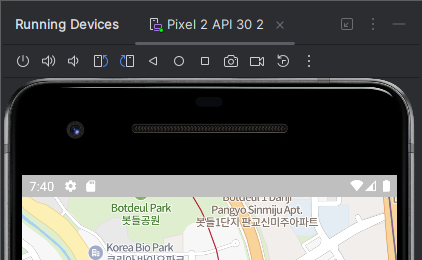
3-2. Location의 지도에 원하는 지점을 클릭하고 save point클릭, Set Location클릭

- 이렇게 설정하면 현재 에뮬레이터의 현재 위치를 설정 할 수 있다