
brograming
[JAVA, Oracle] emp vo, dao, main Day16 본문
vo만들기
|
1
2
3
4
5
6
7
8
9
10
11
12
13
14
15
16
17
18
19
20
21
22
23
24
25
26
27
28
29
30
31
32
33
34
35
36
37
38
39
40
41
42
43
44
45
46
47
48
49
50
51
52
53
54
55
56
57
58
59
60
61
62
63
64
65
66
67
68
69
|
package emp;
import java.sql.Date;
public class EmpVo {
private int empId;
private String name;
private int salary;
private Date hireDate;
private int deptId;
public EmpVo() {
}
public EmpVo(int empId, String name, int salary, Date hireDate, int deptId) {
super();
this.empId = empId;
this.name = name;
this.salary = salary;
this.hireDate = hireDate;
this.deptId = deptId;
}
public int getEmpId() {
return empId;
}
public void setEmpId(int empId) {
this.empId = empId;
}
public String getName() {
return name;
}
public void setName(String name) {
this.name = name;
}
public int getSalary() {
return salary;
}
public void setSalary(int salary) {
this.salary = salary;
}
public Date getHireDate() {
return hireDate;
}
public void setHireDate(Date hireDate) {
this.hireDate = hireDate;
}
public int getDeptId() {
return deptId;
}
public void setDeptId(int deptId) {
this.deptId = deptId;
}
@Override
public String toString() {
return "EmpVo [empId=" + empId + ", name=" + name + ", salary=" + salary + ", hireDate=" + hireDate
+ ", deptId=" + deptId + "]";
}
}
|
cs |
dao만들기
1. 드라이버 로드. api 사용하기 위해
2. db에 커넥트(로그인)
3. sql 작성
String sql = "insert into test values(1, 'aaa')";
4. PreparedStatement 객체 생성
자바에서 sql문을 실행하려면 이를 처리할 객체가 필요함.
> PreparedStatement pstmt = conn.preparedStatement(sql);
> sql문에 ? 사용시 매칭
5. 검색/수정/삭제 ... 등의sql문 실행
5-1 검색 (추가(insert)/수정(update)/삭제(delete))>
int num = pstmt.excuteUpdate(); // sql 실행. 적용된 줄 수
5-2 검색(select)
ResultSet rs = pstmt.executeQuery(); //검색한 결과를 반환 > ResultSet 객체에 담아서 반환
> ResultSet에서 데이터를 한줄씩 꺼내 처리
> rs.next() : 다음줄로 이동. 이동한 줄에 데이터가 있으면 true, 없으면 false반환
<한줄검색 :pk로 검색>
if(rs.next(){
// 각 컬럼 값 꺼내서 vo에 담는다
// 컬럼값 거내는 메서드 : rs.get컬럼타입(컬럼 순서)
String writer = rs.getString(1);
int num = rs.getInt(2);
return new Vo(writer, num);
}
return null;
<여러줄 검색>
ArrayList<vo> list = new ArrayList<>();
while(rs.next()){ //데이터가 있는 동안 반복
String writer = rs.getString(1);
int num = rs.getInt(2);
list.add(new Vo(writer,num));
}
return list;
6. conn을 닫는다. conn.close(); > db 연결 끊음
|
1
2
3
4
5
6
7
8
9
10
11
12
13
14
15
16
17
18
19
20
21
22
23
24
25
26
27
28
29
30
31
32
33
34
35
36
37
38
39
40
41
42
43
44
45
46
47
48
49
50
51
52
53
54
55
56
57
58
59
60
61
62
63
64
65
66
67
68
69
70
71
72
73
74
75
76
77
78
79
80
81
82
83
84
85
86
87
88
89
90
91
92
93
94
95
96
97
98
99
100
101
102
103
104
105
106
|
package emp;
import java.sql.Connection;
import java.sql.PreparedStatement;
import java.sql.SQLException;
import conn.DBConnect;
//dao : databases access object. db작업 구현
public class EmpDao {
private DBConnect dbconn;
public EmpDao() {
dbconn = DBConnect.getInstance();
}
// emp 테이블에 한 줄 추가
public void insert(EmpVo vo) {
Connection conn = dbconn.conn(); // 모든 db 작업은 Connection 객체로 실행
String sql = "insert into emp values(?, ?, ?, sysdate, ?)"; // ?는 변수값이 들어갈 위치
try {
PreparedStatement pstmt = conn.prepareStatement(sql); // sql문을 실행 할 PreparedStatment 객체 생성
// ?에 들어갈 값 매칭
pstmt.setInt(1, vo.getEmpId()); // 매칭 메서드 : set타입(물음표순서, 매칭할 값)
pstmt.setString(2, vo.getName());
pstmt.setInt(3, vo.getSalary());
pstmt.setInt(4, vo.getDeptId());
int num = pstmt.executeUpdate(); // db에서 추가된 줄 수. insert는 보통 1
System.out.println(num + "줄이 추가되었습니다");
} catch (SQLException e) {
// TODO Auto-generated catch block
e.printStackTrace();
} finally {
try {
conn.close();
} catch (SQLException e) {
// TODO Auto-generated catch block
e.printStackTrace();
}
}
}
// 사번으로 검색해서 salary와 dept_id 새 값으로 변경하는 메서드 update 정의
public void update(EmpVo vo) {
// 1. 드라이버 로드 및 커넥션 수립
Connection conn = dbconn.conn();
// 2. 실행 할 sql문 작성
String sql = "update emp set salary = ?, dept_id = ? where emp_id = ?";
try {
// 3. sql문 실행할 PreparedStatement 객체 생성
PreparedStatement pstmt = conn.prepareStatement(sql);
// 4. ?에 들어갈 값 매칭
pstmt.setInt(1, vo.getSalary());
pstmt.setInt(2, vo.getDeptId());
pstmt.setInt(3, vo.getEmpId());
// 5.sql 실행. insert, update, delete문을 실행하는 메서드 = pstmt.executeUpdate();
int num = pstmt.executeUpdate();
System.out.println(num + "줄이 수정되었습니다");
} catch (SQLException e) {
// TODO Auto-generated catch block
e.printStackTrace();
} finally {
try {
// 6. db 연결 끊음
conn.close();
} catch (SQLException e) {
// TODO Auto-generated catch block
e.printStackTrace();
}
}
}
//사번 기준으로 삭제하기
public void delete(int empId) {
Connection conn = dbconn.conn();
String sql = "delete from emp where emp_id = ?";
try {
PreparedStatement pstmt = conn.prepareStatement(sql);
pstmt.setInt(1, empId);
int num = pstmt.executeUpdate();
System.out.println(num + "줄이 삭제되었습니다");
} catch (SQLException e) {
// TODO Auto-generated catch block
e.printStackTrace();
} finally {
try {
conn.close();
} catch (SQLException e) {
// TODO Auto-generated catch block
e.printStackTrace();
}
}
}
}
|
cs |
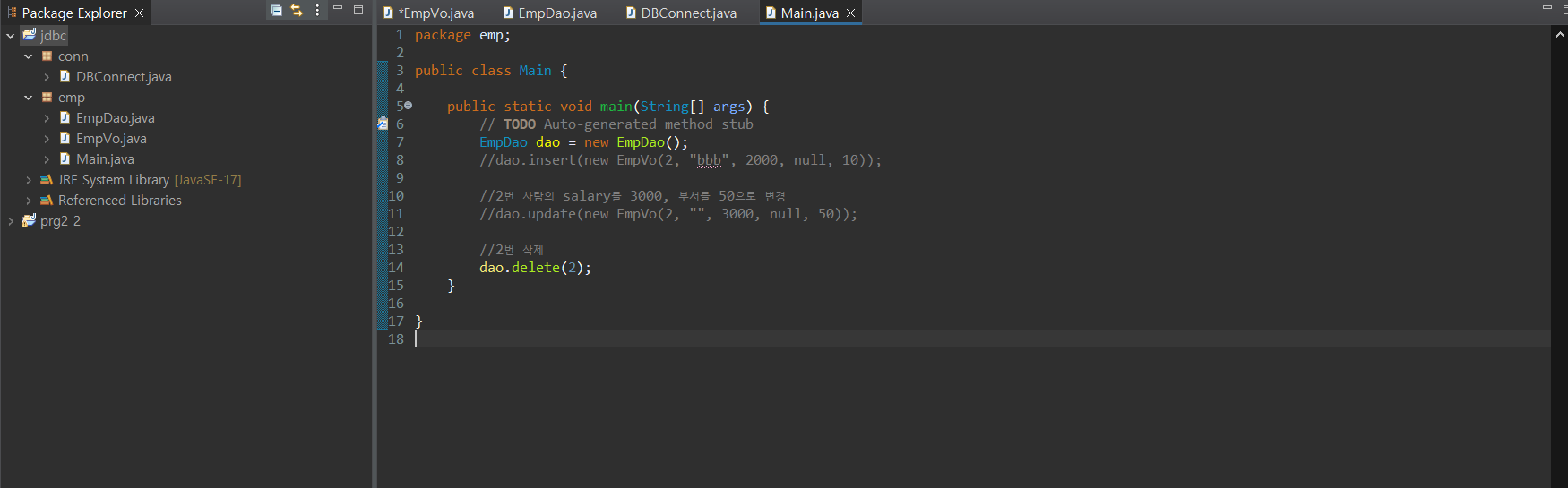
main
|
1
2
3
4
5
6
7
8
9
10
11
12
13
14
15
16
17
|
package emp;
public class Main {
public static void main(String[] args) {
// TODO Auto-generated method stub
EmpDao dao = new EmpDao();
//dao.insert(new EmpVo(2, "bbb", 2000, null, 10));
//2번 사람의 salary를 3000, 부서를 50으로 변경
//dao.update(new EmpVo(2, "", 3000, null, 50));
//2번 삭제
dao.delete(2);
}
}
|
cs |
'Kosta' 카테고리의 다른 글
| [JAVASCRIPT]_Day25 (0) | 2023.03.22 |
|---|---|
| [JAVA, Oracle] 게시판 만들기_Day18 (0) | 2023.03.09 |
| [Oracle]JDBC_Day16 (0) | 2023.03.08 |
| [Oracle] 8강_Day16 (0) | 2023.03.08 |
| [Oracle] 4 ~ 6장_Day15 (0) | 2023.03.07 |


